
Interviews
Log, transcribe, and analyze customer discovery conversations with AI-powered insights
What it is
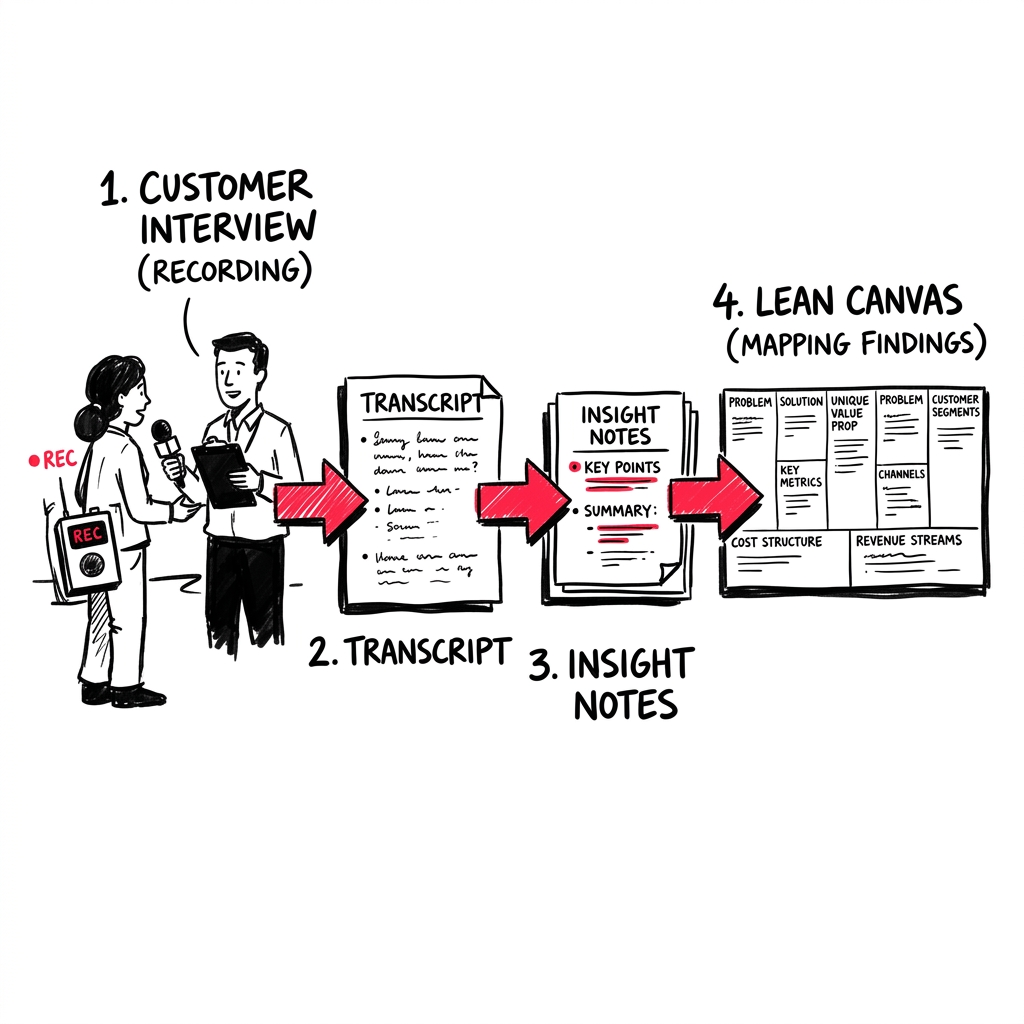
Interviews is where you log, analyze, and learn from customer discovery conversations. LEANSpark can transcribe recordings, extract insights, and map findings back to your business model.
How to get there
Interviews are managed within each sprint on your Dashboard, and interview artifacts appear in your Library.
What you’ll find
Creating interviews

- Upload a recording — LEANSpark transcribes and analyzes it automatically (uses AssemblyAI)
- Manual entry — log interview notes directly
- YAML import — bulk import interview data
- From chat — attach an audio file during chat for inline analysis
Interview analysis
Each interview gets:
- Full transcript — searchable text from your recording
- Customer Forces story — forces of progress, anxieties, habits mapped from the conversation
- Study insights — key findings extracted and saved as artifacts
- Sprint integration — interviews are linked to the sprint they belong to
Interview actions
- Reanalyze — re-run the AI analysis with improved context
- Move between sprints — pull interviews from one sprint into another
- View Forces Story — see the customer forces diagram for each interview
Common questions
Q: How do I add an interview? From chat, upload an audio recording or tell LEANSpark about an interview you conducted. You can also create interviews directly from the Dashboard sprint view.
Q: What audio formats are supported? Most common formats work — MP3, M4A, WAV, and others supported by AssemblyAI.
Q: How long does transcription take? Usually a few minutes depending on recording length. You’ll get a notification when it’s ready.
Q: Can I see insights across multiple interviews? Yes — LEANSpark can run a study analysis across all interviews in a sprint to identify patterns. Check your sprint detail view on the Dashboard.
Q: Where are my interview insights? Interview insights are saved as artifacts in your Library. They also appear within the sprint on your Dashboard.