

Your First 14 Days with LEANSpark
A day-by-day checklist to get the most out of your first two weeks — each step builds on the last.
What you’ll learn
A practical checklist for your first 14 days with LEANSpark. Each activity builds on the previous one, creating a compounding loop of clarity.
Before you start
You need a LEANSpark account. Everything else, you’ll build along the way.
Steps
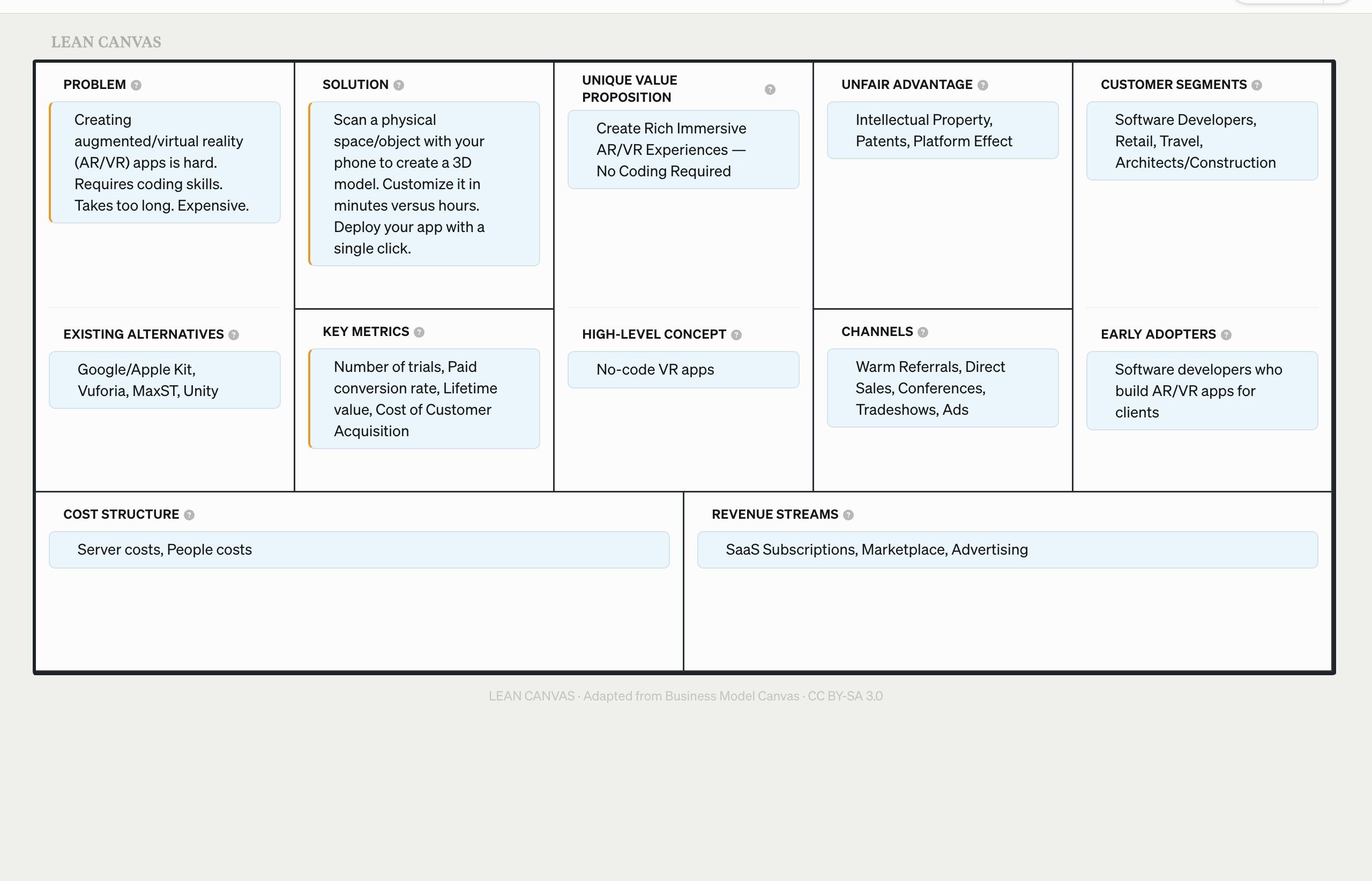
Step 1 — Day 1: Create your canvas
Start with a description of your idea. Don’t polish it — capture what’s in your head right now. How to create a canvas →
Step 2 — Day 3: Run your first stress-test
Give yourself a day or two to sit with your canvas, then stress-test it. The gap lets you notice things you’d miss if you rushed. How to run a stress-test →
Step 3 — Day 5: Interpret your results
Read your assessment carefully. Identify your top risk — not the lowest score, but the assumption that matters most. How to read your results →
Step 4 — Day 7: Generate an interview guide
Turn your top risk into a structured conversation. Even if you’re not ready to interview yet, having the guide clarifies what you need to learn. How to generate an interview guide →
Step 5 — Day 10: Explore a variant
Create at least one variant of your canvas. Change the thing you’re most uncertain about — customer segment, pricing, solution — and stress-test the alternative. How to compare variants →
Step 6 — Day 14: Iterate
Update your original canvas with what you’ve learned. Run a fresh stress-test. Compare it to your Day 3 assessment. This is the compounding loop in action.
What to look for
- The compounding loop. Each artifact feeds the next: canvas → assessment → interview guide → updated canvas. By Day 14, you’re not starting over — you’re building on validated understanding.
- Progress over perfection. Your Day 1 canvas will look naive by Day 14. That’s the point. The goal isn’t a perfect canvas — it’s a less wrong one.
- Momentum matters. The founders who get the most from LEANSpark are the ones who use it consistently, not the ones who use it perfectly.
What’s next
You’ve completed the tutorial sequence. Explore the full User Guide for deeper dives into specific features like the Traction Roadmap, Prospects, and Pitches.