

Journey-First Navigation
See every variant of your idea on one rail, then drill into the one you are working on
What it is
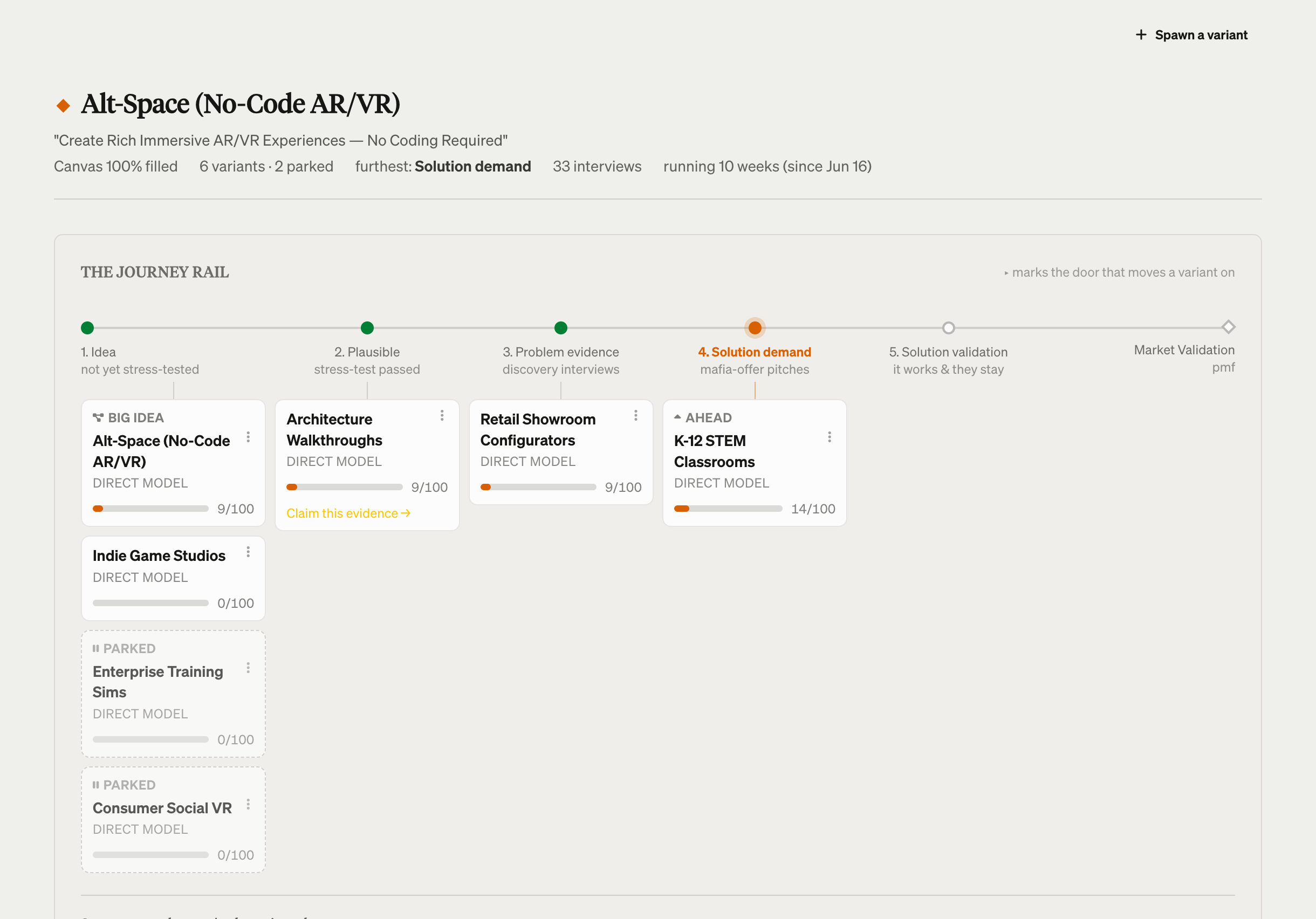
Your idea at the top, every variant on one rail, and a drill-down into whichever variant you are working on.
Validation surfaces are no longer separate destinations. Experiments, Metrics, Insights, Pitch and Pipeline are doors on the variant they belong to, so you pick the variant first and the room second.
Where it lives
The Journey rail is at /journey. The left nav groups what remains into sections: Doing (Today, Ask), Measuring (Journey, Library, Journal), Learning (Skills, Growth, Playbooks), with Team in its own section at the bottom.
How to use it
Baseline first. Open Journey. Each variant is a card sitting at the stage its evidence has earned:
| Stage | Earned by |
|---|---|
| Idea | not yet stress-tested |
| Plausible | stress-test passed |
| Problem evidence | discovery interviews |
| Solution demand | mafia-offer pitches |
| Solution validation | it works and they stay |
Your Big Idea has a card here too, alongside the variants you forked from it. It does not disappear when you diverge.
Then drill down. Click a variant to open its page. The doors along its rail take you to that variant’s canvas, interviews, experiments, insights, pitch and pipeline, all already scoped to it. The Experiments door shows a count when that variant is waiting on a decision from you.
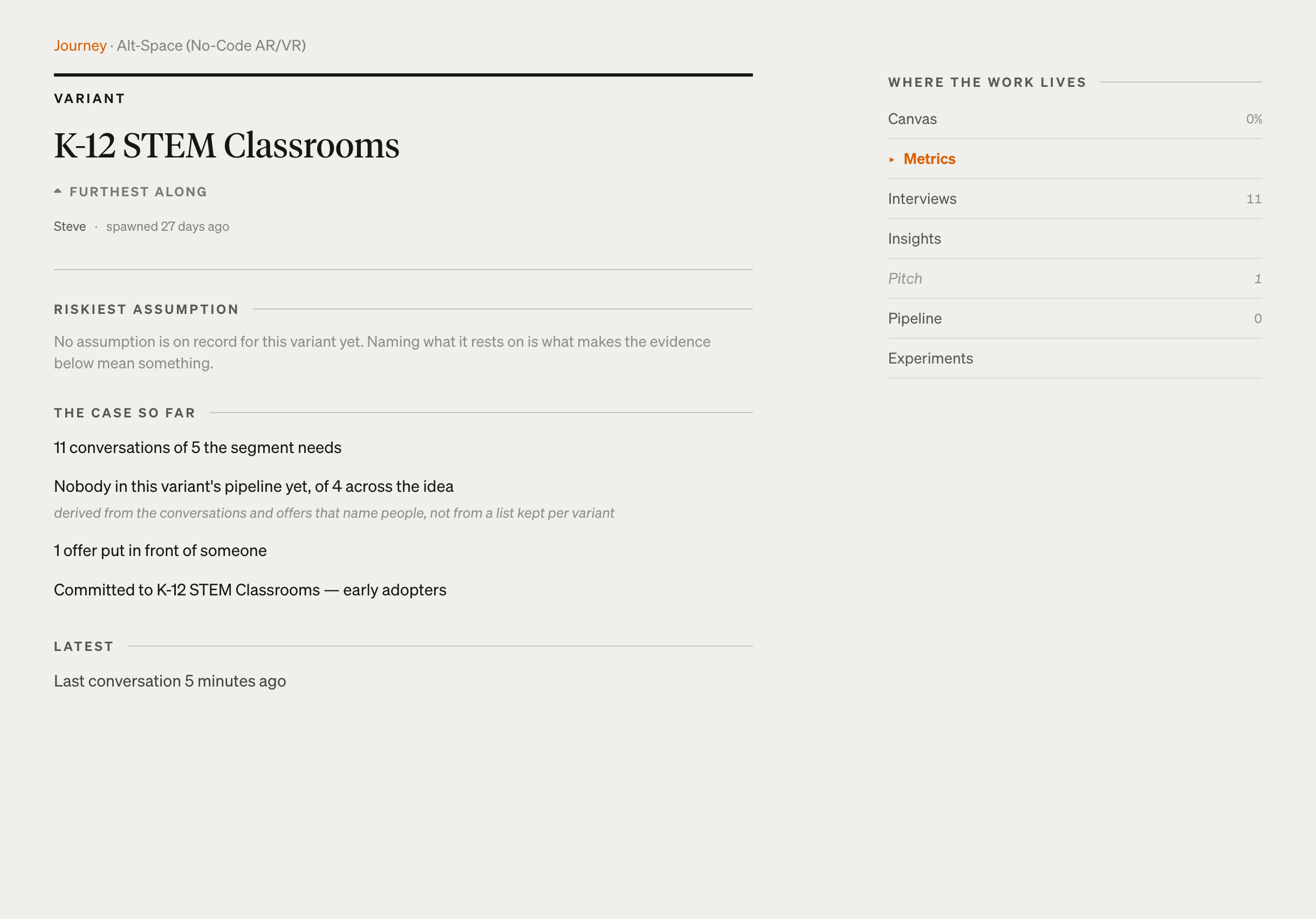
Rename any variant. Click its name on its own page, use Rename in the card menu on Journey, or click the name in the canvas header. Names render exactly as you type them, version numbers included.
Move evidence that landed wrong. From the Library or from an interview’s own page, file it to a different variant. What carries over is preserved, and the canvas-versus-story verdict is re-run against the variant it lands on.
Get back. Every drill-down carries a way back to the variant you came from, so you never land in a full unscoped listing.