

Getting Started
Import your business model and set up your first Idea with the Welcome Wizard
What it is
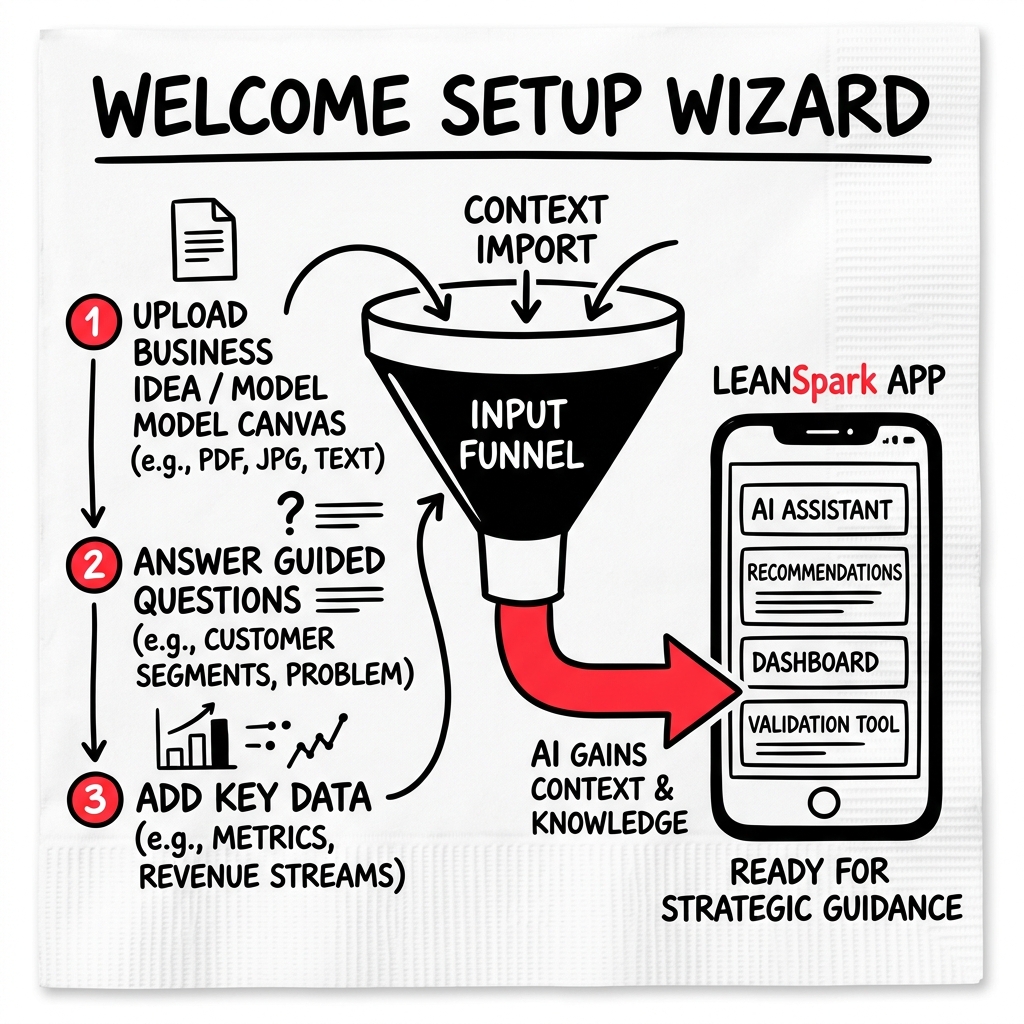
When you first sign in or create a new Idea, the Welcome Wizard walks you through importing your business model so LEANSpark has context to work with.
How to get there
Click “Start a New Idea…” at the bottom of the Idea Switcher dropdown in the sidebar.
What you’ll find
Step 1 — Choose your import method
- Tell me about your idea — start a conversation and LEANSpark will build your canvas from what you describe.
- Import from LEANSTACK — connect an existing Lean Canvas from leanstack.com.
- Landing Page URL — paste a URL and LEANSpark extracts your business model from it.
- Pitch Deck PDF — upload a pitch deck and LEANSpark reads it into a canvas.
- Canvas PDF — upload a photo or scan of an existing Lean Canvas.
- Blank Canvas — start with an empty canvas and fill it in yourself.
- Example (Airbnb / Uber) — try the app with a pre-built example business model.
Step 2 — Provide your input
Depending on the method you chose, you’ll paste a URL, upload a file, or describe your idea in a text box.
First-time onboarding
On your very first sign-in, you’ll see a short onboarding flow that asks about your role (founder or coach), project type, product stage, and team size. This helps LEANSpark personalize your experience.
Common questions
Q: Can I change my import after creating an Idea? You can always update your canvas directly — go to the Canvas editor and modify any section. The import just gives you a starting point.
Q: How many Ideas can I have? There’s no hard limit on Ideas. Each Idea represents a separate business model you’re exploring.
Q: What happens with a Pitch Deck upload? LEANSpark reads your PDF, extracts key information (problem, solution, customer segments, etc.), and maps it onto a Lean Canvas for you to refine.
Q: I chose the wrong option — can I start over? Click “Start a New Idea…” from the sidebar to begin a fresh import. You can also delete an existing Idea from the Idea Switcher dropdown.
Related features
- App Navigation — finding your way around
- Canvas — editing your Lean Canvas