

App Navigation
Learn how the sidebar, context bar, and two-pane layout help you move through LEANSpark
What it is
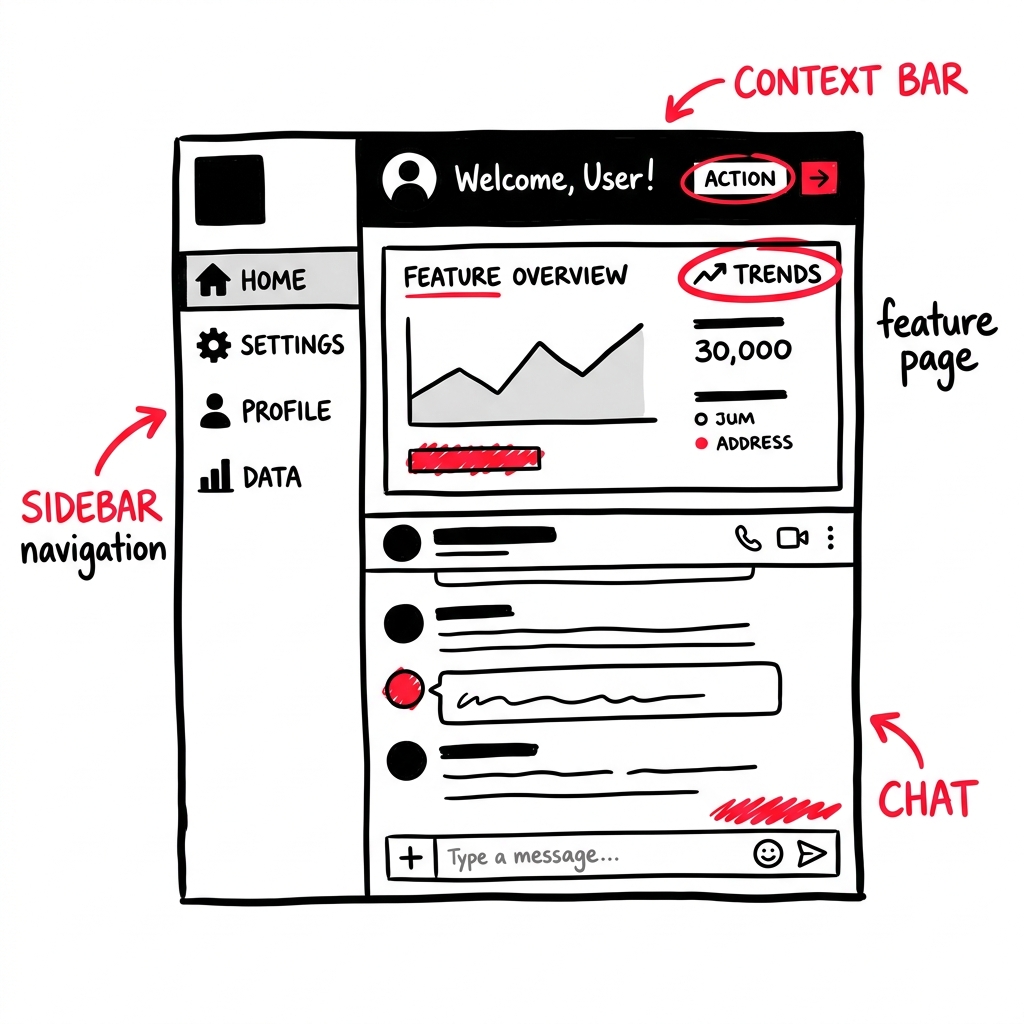
The LEANSpark app uses a left sidebar for navigation, a context bar across the top, and a two-pane layout where your chat (Sparks) lives underneath feature pages like Dashboard and Library.
How to get there
The sidebar is always visible on the left side of the screen. On mobile it collapses into a hamburger menu.
What you’ll find
Sidebar (top to bottom)
- Idea Switcher (top) — dropdown showing all your Ideas (business models). Click to switch between them, rename, or delete. “Start a New Idea…” at the bottom creates a fresh canvas.
- Sparks — your AI chat. This is where you talk with LEANSpark.
- Dashboard — validation cycles, sprints, and progress tracking.
- Library — all your artifacts and deliverables. Shows a count badge.
- Journal — timeline of your sessions and activity.
- Skills — lesson plans across 7 dimensions. Shows a progress badge.
Sidebar footer
- Invitations — pending team invitations (badge shows count)
- Invite Teammates — add people to your workspace
- Community — community discussion board (badge for unread)
- Help — contact support, changelog, workshops
- Your avatar — profile, theme toggle, workspace switching, subscription info, sign out
Context bar (top)
Shows your current business model name and variant. You can rename inline, switch variants, and access chat actions.
Common questions
Q: How do I switch between Ideas? Click the Idea name at the top of the sidebar to open the dropdown, then select a different Idea.
Q: How do I switch workspaces? Click your avatar at the bottom of the sidebar. Under “Switch Workspace,” pick a different workspace.
Q: Where do I change my theme (light/dark)? Click your avatar → use the theme toggle (light / system / dark).
Q: How do I get back to chat from the Dashboard or Library? Click “Sparks” in the sidebar. The chat is always loaded underneath — it just becomes visible when you switch to it.
Related features
- Getting Started — creating your first Idea
- Workspace — managing teams and billing