

MCP Connections
Expose your business model as an MCP server so Claude Code, Claude, and Cursor can read it — and write deliverables back.
What it is
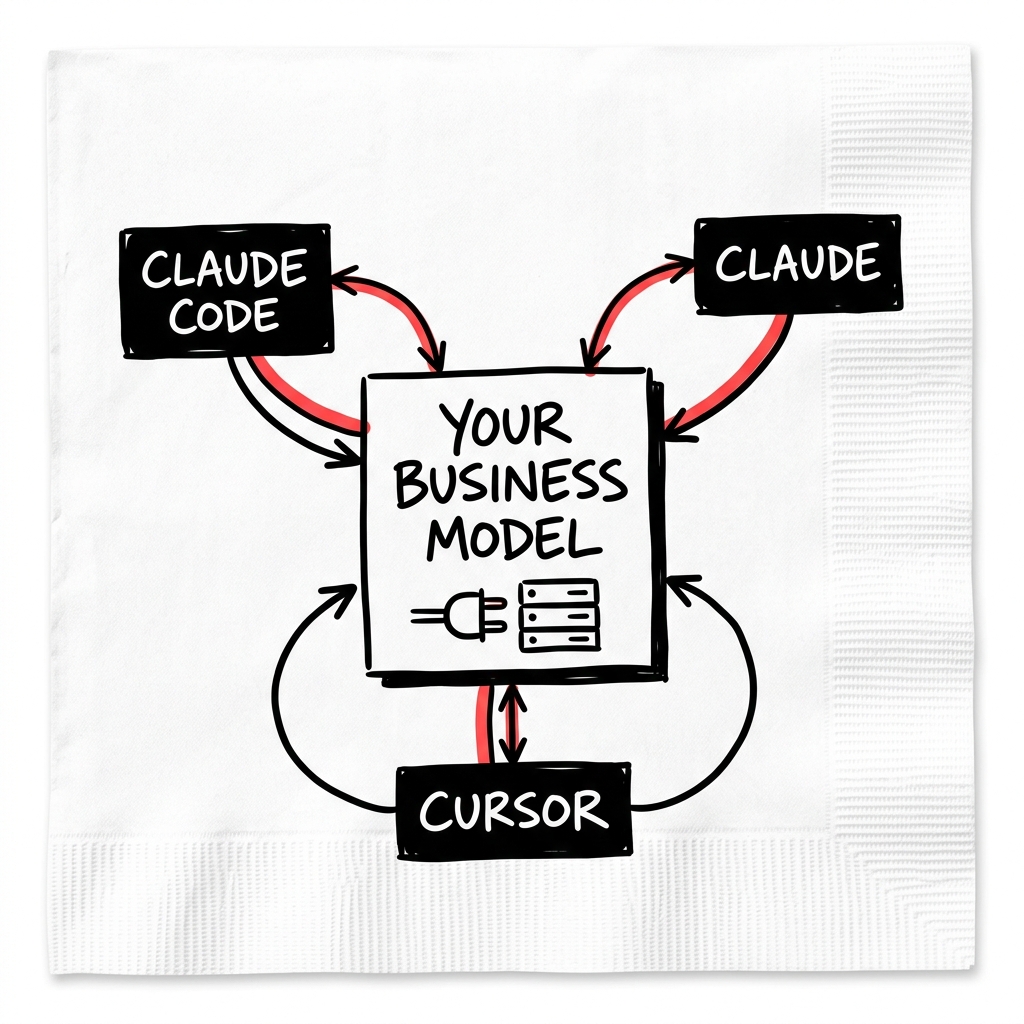
LEANSpark exposes your business model as a Model Context Protocol (MCP) server. That means AI tools like Claude Code, Claude, and Cursor can read your canvas, segments, interviews, offer, competitive landscape, and voice profile — and write deliverables straight back into your active experiment. The work happens in the tool you already use; the validated context comes from LEANSpark.
Where it lives
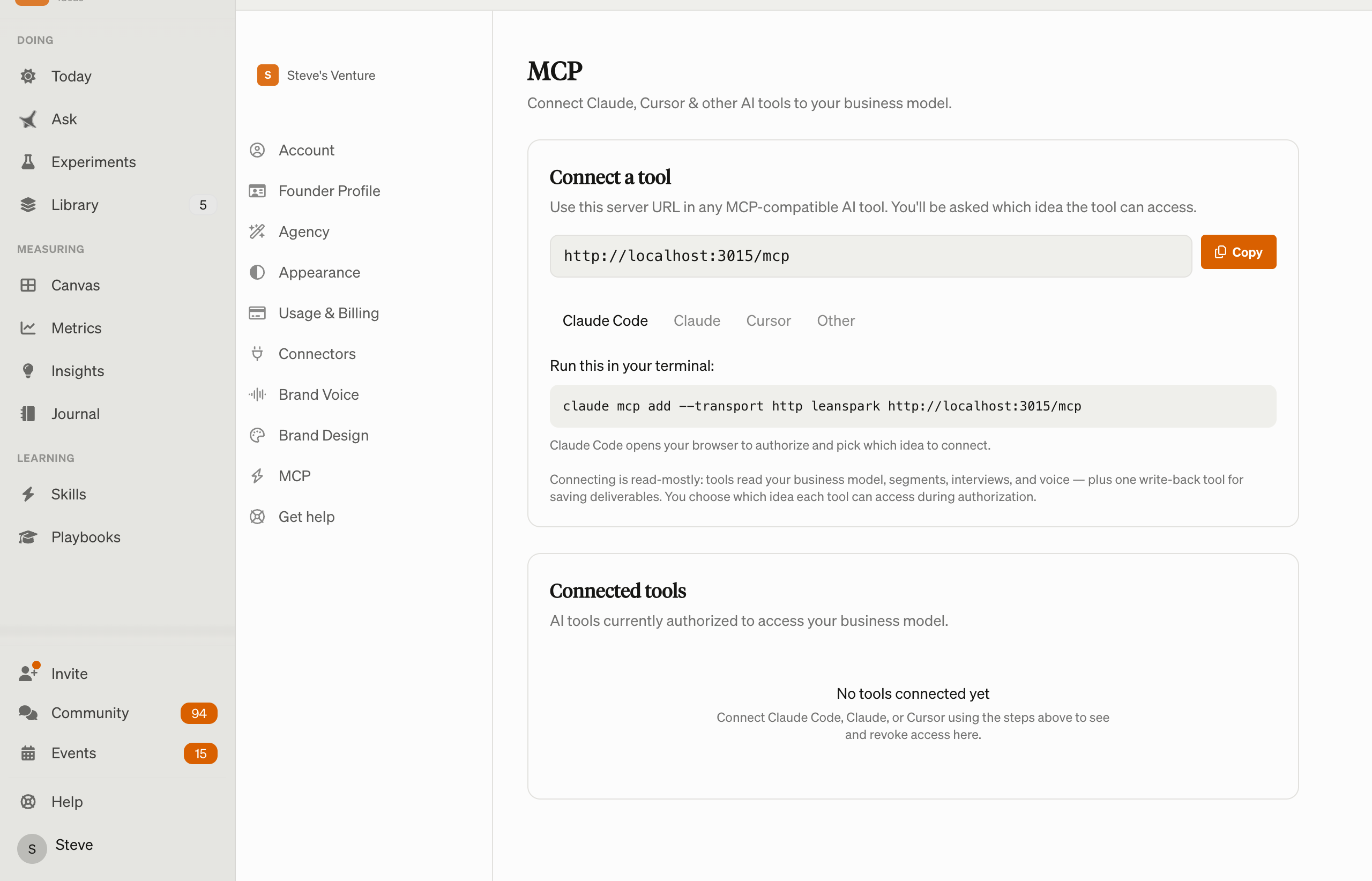
Settings → MCP (/settings/mcp).
How to use it
- Connect a tool — copy the server URL and add it to Claude Code (
claude mcp add --transport http leanspark <url>), Claude (Settings → Connectors → Add custom connector), Cursor (Settings → MCP → Add server), or any MCP client that supports remote servers with OAuth. During authorization you choose which idea the tool can access. - See connected tools — each shows the client, which idea it’s connected to, and when it was last used.
- Revoke access — disconnect any tool; it has to reconnect to regain access.
What a connected tool can reach: it reads your business model, voice profile, segments, interviews, offer, competitive landscape, and product guide, and writes deliverables back into your active experiment. Every connection is scoped to a single idea and to your account only — nothing leaves the boundary you set.