

Landing Page Experiment Loop
Design your landing page as a traction experiment, stream conversions in over MCP, and let the PDCA loop decide: iterate or persevere.
What it is
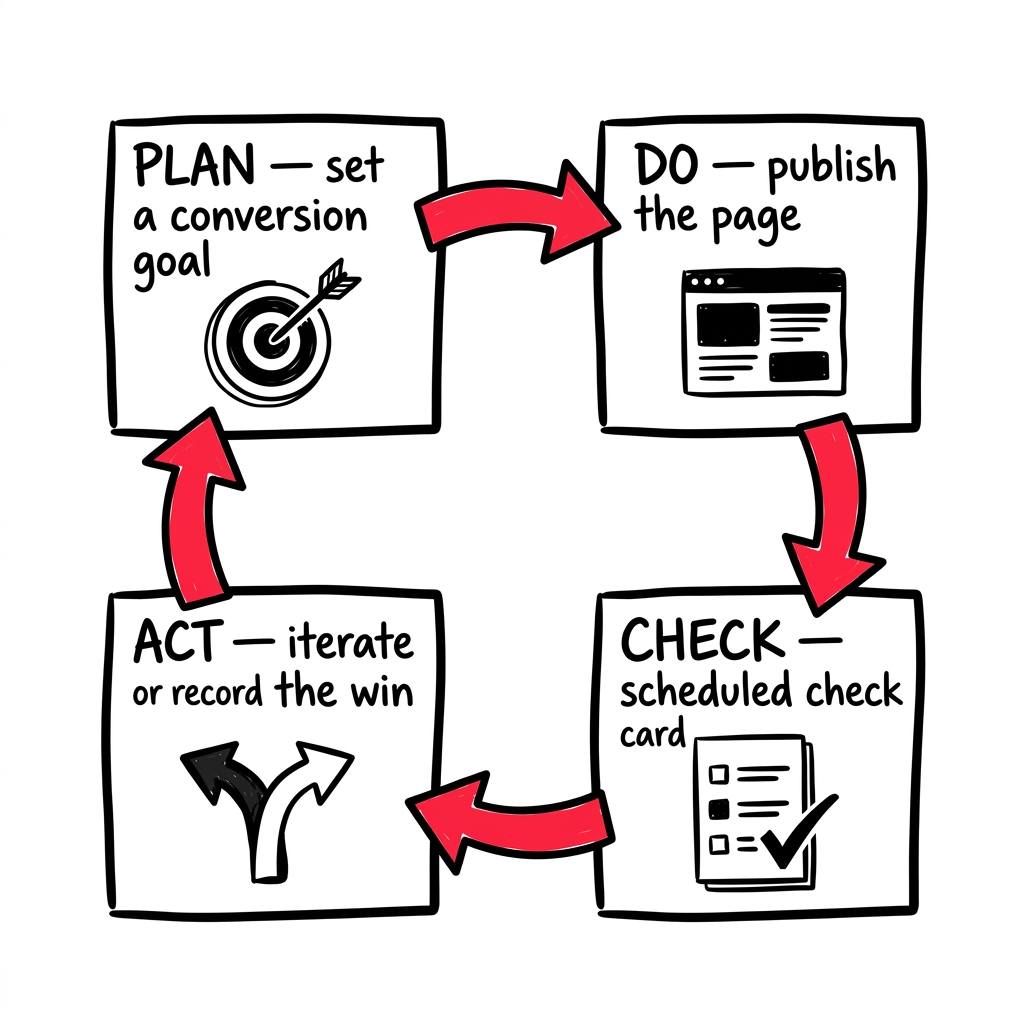
The Landing Page Experiment Loop turns your landing page into a complete, measured PDCA experiment. You design the page from validated context, push it live, report real conversion data back in, and the loop returns a verdict — with the next move already staged. No guessing whether the page “worked.”
Where it lives
- You design and run it as a traction experiment on your Sprint Board, like any other experiment.
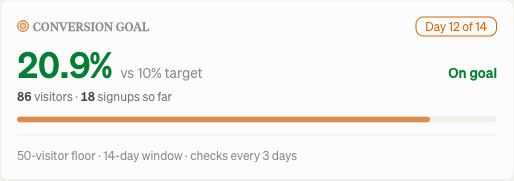
- The goal panel on the experiment card shows your conversion goal, the running observed rate, the LPA baseline score, and any iteration history.
- Check cards appear in your chat on a schedule (default: every 3 days) with the verdict.
- Conversion data flows in through your MCP connection (Settings → MCP), or you can enter founder-spoken numbers manually.
How to use it
-
Design the page. Start a
landing_page_conversion_v1experiment and walk the five-question brief: who it’s for, the problem in your customer’s language, the one falsifiable promise, the proof, the single CTA. Each answer is drafted from your validated context. -
Clear Page Prep. Before you can start, the readiness gate checks you’ve earned it — a committed segment with evidence, three interviews with insights, three documented alternatives, an offer, and a ready voice. Every unmet item links to where to go fix it.
-
Attest and start. Confirm your UTM tags and signup event are wired up (the goal can’t be scored without them), then start the experiment. The check clock begins when you record your page.
-
Report conversions. Point your connected AI tool at the experiment and have it report per-period visitor and conversion counts over MCP — or use the goal panel’s manual entry. Counts are incremental and non-overlapping; the tool returns the goal evaluation inline.
-
Read the check card and act. When a check lands off track, click Iterate on this page — it stages a fresh version aimed at the weakest dimension, one variable at a time (capped at 3 iterations). When you’ve hit the goal, click Record the win — it closes the experiment and writes a concluded learning, graded by margin.
The default goal is 10% of visitors converting to signups over 14 days, with a 200-visitor floor, checked every 3 days. Your connected AI tool can stage an experiment with custom goal overrides if you need different thresholds.