

Sprint Board
The working surface for a single 14-day sprint — the experiments you're running, their PDCA phase, and the decisions you owe.
What it is
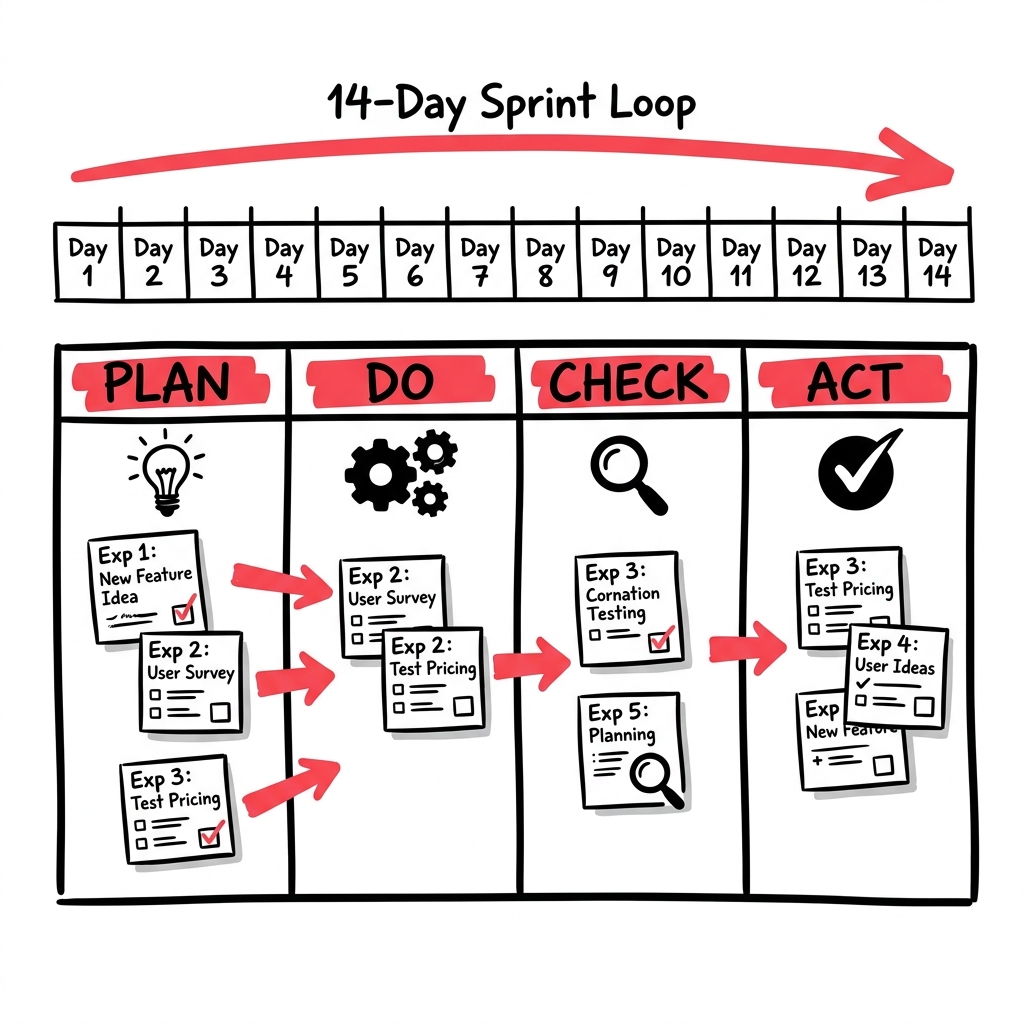
The Sprint Board is the working surface for a single 14-day sprint. It shows the experiments you’ve committed to running, their PDCA phase — Plan, Do, Check, Act — and the decisions you owe by the end of the sprint. If the canvas is what you believe, the Sprint Board is what you’re doing about it this week.
Where it lives
- Top-level at
/sprint_board(it redirects into your current in-progress sprint, or to Today if there isn’t one); also chat-scoped at/chats/:chat_id/sprints/:id. - Each experiment on the board has its own detail page where you record results and read its scoreboard.
How to use it
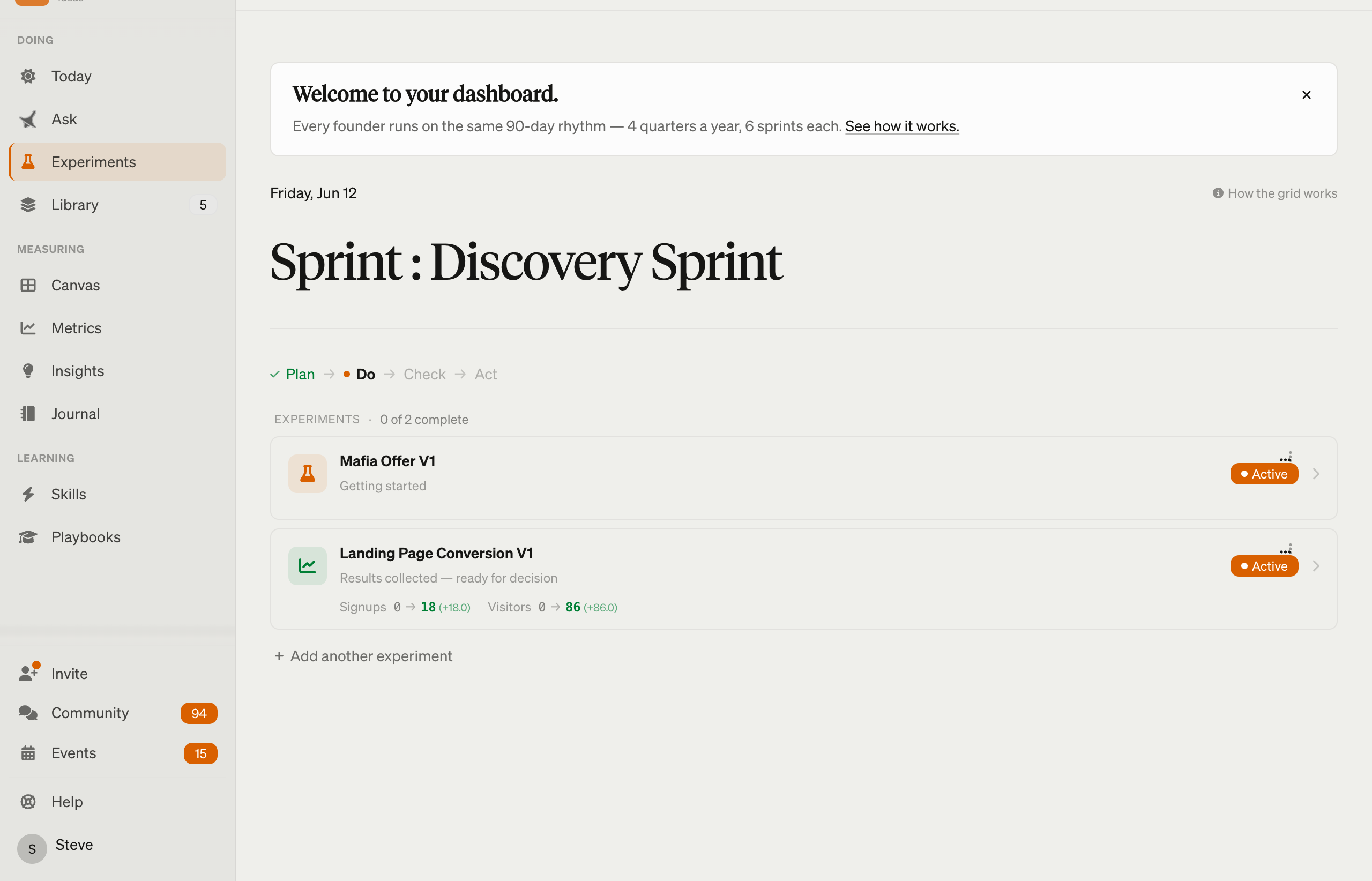
- Start of week: open it to see what you committed to running.
- Mid-experiment: record a result to move an experiment from Do → Check.
- End of sprint: make the four-way call on each experiment — keep, pivot, kill, or carry forward.
- Between experiments: add the next one from the Experiment Catalog.
Here’s the part most tools get wrong: when the 14-day clock advances, an experiment you were actively running — or gathering evidence for — carries forward into the next sprint still live, with its evidence intact. You resume where you left off; the board doesn’t reset to a blank “start it again” card. An experiment you never engaged with isn’t silently carried either — LEANSpark surfaces a revive / revise / kill prompt so dead plans don’t pile up. The board produces the PDCA records and end-of-sprint decisions that feed your Traction Roadmap and your canvas as evidence.